mirror of
https://github.com/zuiidea/antd-admin
synced 2026-10-25 17:53:56 +00:00

173 lines
6.9 KiB
Markdown
173 lines
6.9 KiB
Markdown
# Antd Admin
|
||
|
||
[](https://github.com/facebook/react)
|
||
[](https://github.com/ant-design/ant-design)
|
||
[](https://github.com/dvajs/dva)
|
||
|
||
[](https://github.com/zuiidea/antd-admin)
|
||
[](https://github.com/zuiidea/antd-admin/pulls)
|
||
[](http://opensource.org/licenses/MIT)
|
||
[](http://standardjs.com)
|
||
|
||
演示地址 <http://antd-admin.zuiidea.com>
|
||
|
||
## 特性
|
||
|
||
* 基于[react](https://github.com/facebook/react),[ant-design](https://github.com/ant-design/ant-design),[dva](https://github.com/dvajs/dva),[Mock](https://github.com/nuysoft/Mock) 企业级后台管理系统最佳实践。
|
||
* 基于 Antd UI 设计语言,提供后台管理系统常见使用场景。
|
||
* 基于[dva](https://github.com/dvajs/dva)动态加载 Model 和路由,按需加载。
|
||
* 使用[umi](https://github.com/umijs/umi)本地调试和构建,其中 Mock 功能实现脱离后端独立开发。
|
||
* 浅度响应式设计。
|
||
|
||
## 更新日志
|
||
|
||
### 5.0.0-beta
|
||
|
||
`2018-6-20`
|
||
|
||
* 感谢@sorrycc、@xiaohuoni [PR](https://github.com/zuiidea/antd-admin/pull/770)
|
||
|
||
* 更新`roadhog`至`umi`
|
||
详见 [使用 umi 改进 dva 项目开发](https://github.com/sorrycc/blog/issues/66#issuecomment-408596579) | [umi model 用法](https://github.com/umijs/umi/issues/171)
|
||
|
||
### 4.3.9
|
||
|
||
`2017-12-27`
|
||
|
||
* 更新`antd`至`3.0.3`,以及其它主要库,并解决升级带来的兼容问题。
|
||
* 尽可能的保持`antd`的设计语言。
|
||
|
||
### 4.3.7
|
||
|
||
`2017-10-30`
|
||
|
||
* 更新`chart`,新增[ECharts](https://github.com/ecomfe/echarts),[highCharts](https://github.com/highcharts/highcharts),[Recharts](https://github.com/recharts/recharts)演示。
|
||
|
||
### 4.3.5
|
||
|
||
`2017-09-04`
|
||
|
||
* 更新[dva](https://github.com/dvajs/dva)至`2.0.1`,感谢[@yangbin1994](https://github.com/yangbin1994)的[PR](https://github.com/zuiidea/antd-admin/pull/567)。
|
||
|
||
### 4.3.4
|
||
|
||
`2017-09-04`
|
||
|
||
* 更新[roadhog](https://github.com/sorrycc/roadhog)至`1.2.1`,修复闪屏问题。
|
||
* 修复 build css 未压缩[#529](https://github.com/zuiidea/antd-admin/issues/529),classname 未 Hash[#477](https://github.com/zuiidea/antd-admin/issues/477)。
|
||
* 更新登录成功使用 router 跳转[#479](https://github.com/zuiidea/antd-admin/issues/479)。
|
||
|
||
### 4.3.0
|
||
|
||
`2017-07-30`
|
||
|
||
* 更新[roadhog](https://github.com/sorrycc/roadhog)至`1.0.0-beta.7`,得益于`webpack@3.4`,编译速度不减。
|
||
* 基于使用 roadhog 的 dll 插件,开发时编译耗时减半。
|
||
* 新增打包时按项目版本号生成文件目录。[#449](https://github.com/zuiidea/antd-admin/issues/449)
|
||
* 更新`eslint`,并适当修改了`.eslintrc`。
|
||
|
||
[More Change Log](https://github.com/zuiidea/antd-admin/wiki/Change-Log)
|
||
|
||
## 开发构建
|
||
|
||
### 目录结构
|
||
|
||
```bash
|
||
├── /dist/ # 项目输出目录
|
||
├── /mock/ # 数据mock
|
||
├── /public/ # 公共文件,编译时copy至dist目录
|
||
├── /src/ # 项目源码目录
|
||
│ ├── /components/ # UI组件及UI相关方法
|
||
│ ├── /layouts/ # 全局组件
|
||
│ │ └── app.js # 页面入口
|
||
│ │ └── index.js # 入口文件
|
||
│ ├── /models/ # 数据模型
|
||
│ ├── /pages/ # 页面组件
|
||
│ │ └── document.ejs # html模版
|
||
│ ├── /services/ # 数据接口
|
||
│ ├── /themes/ # 项目样式
|
||
│ │ ├── default.less # 全局样式
|
||
│ │ └── vars.less # 全局样式变量
|
||
│ ├── /utils/ # 工具函数
|
||
│ │ ├── config.js # 项目常规配置
|
||
│ │ ├── menu.js # 菜单及面包屑配置
|
||
│ │ ├── config.js # 项目常规配置
|
||
│ │ ├── request.js # 异步请求函数(axios)
|
||
│ │ └── theme.js # 项目需要在js中使用到样式变量
|
||
├── package.json # 项目信息
|
||
├── .eslintrc # Eslint配置
|
||
└── .umirc.js # umi配置
|
||
└── .umirc.mock.js # mock配置
|
||
└── .theme.config.js # 主题less编译配置
|
||
```
|
||
pages中可参考 [duck 模式](https://medium.freecodecamp.org/scaling-your-redux-app-with-ducks-6115955638be)
|
||
|
||
文件夹命名说明:
|
||
|
||
* components:组件(方法)为单位以文件夹保存,文件夹名组件首字母大写(如`DataTable`),方法首字母小写(如`layer`),文件夹内主文件与文件夹同名,多文件以`index.js`导出对象(如`./src/components/Layout`)。
|
||
* routes:页面为单位以文件夹保存,文件夹名首字母小写(特殊除外,如`UIElement`),文件夹内主文件以`index.js`导出,多文件时可建立`components`文件夹(如`./src/routes/dashboard`),如果有子路由,依次按照路由层次建立文件夹(如`./src/routes/UIElement`)。
|
||
|
||
### 快速开始
|
||
|
||
克隆项目文件:
|
||
|
||
```bash
|
||
git clone https://github.com/zuiidea/antd-admin.git
|
||
```
|
||
|
||
进入目录安装依赖:
|
||
|
||
```bash
|
||
#开始前请确保没有安装roadhog、webpack到NPM全局目录, 国内用户推荐yarn或者cnpm
|
||
npm i 或者 yarn install
|
||
```
|
||
|
||
开发:
|
||
|
||
```bash
|
||
npm run start
|
||
打开 http://localhost:8000 #端口在package.json中cross-env后加上 PORT=8000指定
|
||
```
|
||
|
||
构建:
|
||
[详情](https://github.com/zuiidea/antd-admin/issues/269)
|
||
|
||
代码检测:
|
||
|
||
```bash
|
||
npm run lint
|
||
```
|
||
|
||
## FAQ
|
||
|
||
* 项目打包后如何部署? [#269](https://github.com/zuiidea/antd-admin/issues/269)
|
||
* 如何做权限管理? [#384](https://github.com/zuiidea/antd-admin/issues/384)
|
||
* 如何使用 mock.js 模拟接口,怎么使用线上接口? [#348](https://github.com/zuiidea/antd-admin/issues/348)
|
||
* 如何使用 Iconfont,如何使用本地的 svg 图标? [#270](https://github.com/zuiidea/antd-admin/issues/270)
|
||
* 怎么按版本打包,上线时不影响正在访问的用户? [#449](https://github.com/zuiidea/antd-admin/issues/449)
|
||
* windows 处理 CRLF?[参考](http://blog.csdn.net/lysc_forever/article/details/42835203)
|
||
|
||
```bash
|
||
git config --global core.autocrlf false
|
||
```
|
||
|
||
## 参考
|
||
|
||
用户列表:<https://github.com/dvajs/dva/tree/master/examples/user-dashboard>
|
||
|
||
dashboard 设计稿:<https://dribbble.com/shots/3108122-Dashboard-Admin> (已征得作者同意)
|
||
|
||
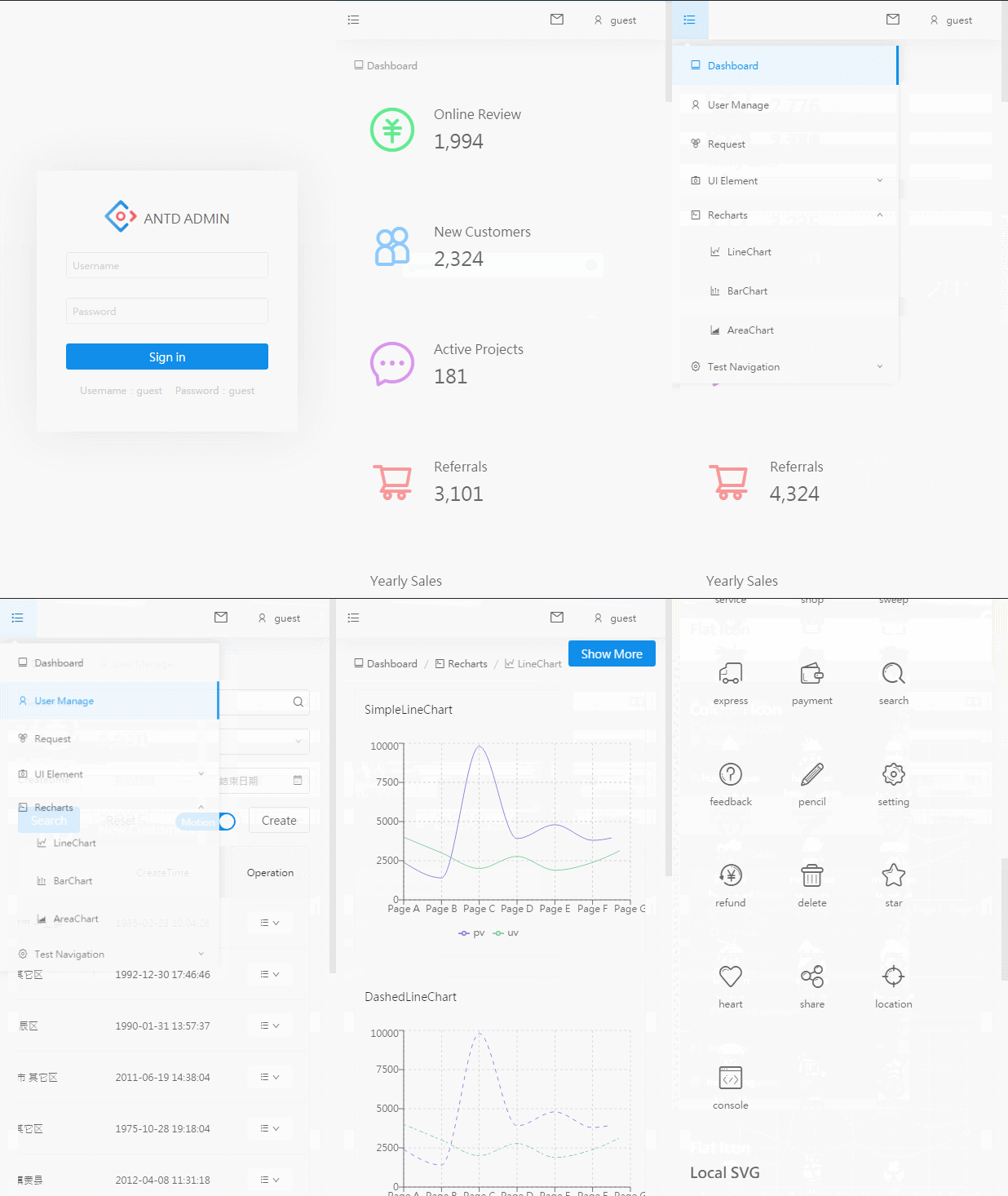
## 截屏
|
||
|
||
web
|
||
|
||

|
||
|
||
移动
|
||
|
||
|
||
|
||
效果图
|
||
|
||

|